
1 Escape the Datacenter
Inbound connections directly to applications do not need to exist.
F5XC application delivery network can be the front door to all environments in a public cloud, private cloud, and physical locations. Having a SaaS edge, that can protect, host, and distribute traffic across all environments is a powerful tool that doesnt exist as a full suite except with F5.
The BIG-IP is working as a site services tier resource, only providing services to users in our UDF environment. The F5XC customer edge we deployed at the beginning of the lab will now expose the BIG-IP virtual (OpenShift Router) to the globe via the F5XC AnyCast global network.
Well start with working from low-level XC resources building up to analytics of the exposed services
1.1 Return to the F5XC console and login

Note
An email from UDF should have arrived for login to the f5-xc-lab-mcn tenant.
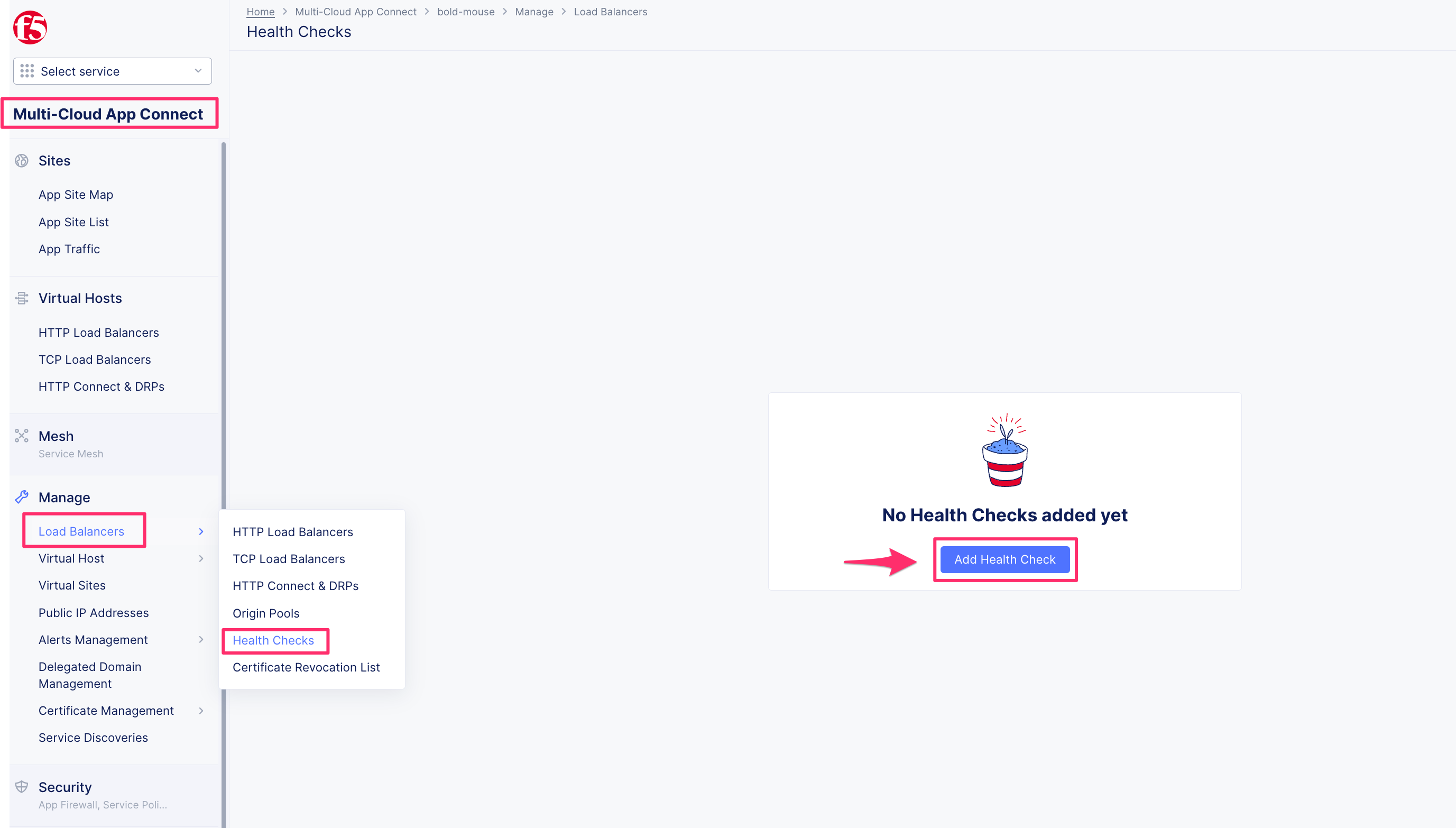
1.2 Navigate to Health Checks
Navigate to health check resources
1.3 Create a health check for the BIG-IP virtual
Give our health check a name with our unique namespace appending a resource type for best practice
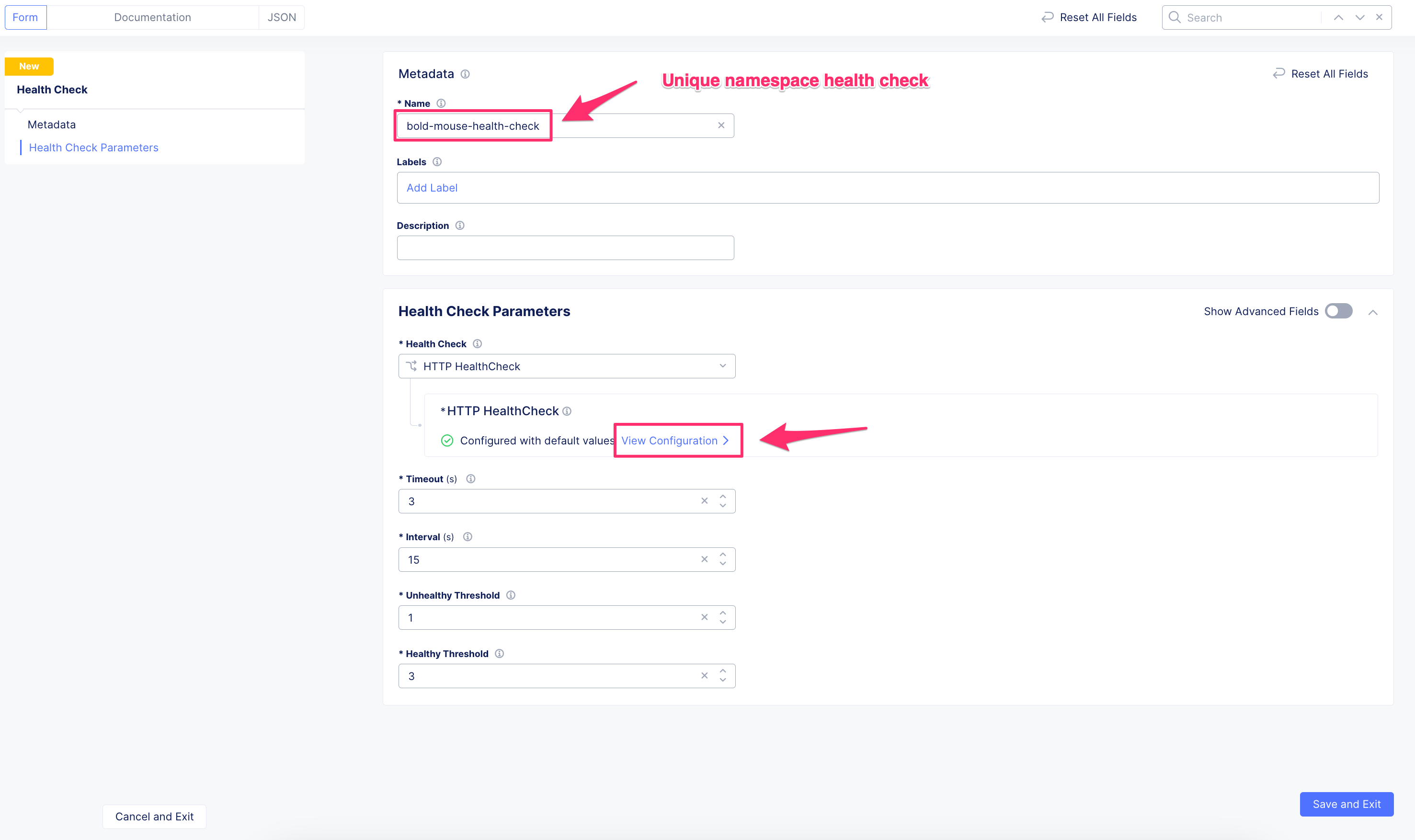
OpenShift routes on the BIG-IP virtual listen for the route hostname, the health check needs to include this and a path that the route can map
Attributes:
Specify Host Header:
Host Header ValueHost Header Value:
cafe.example.comPath:
/coffee

Apply health check, save, and exit

1.4 Navigate to the origin pool resources

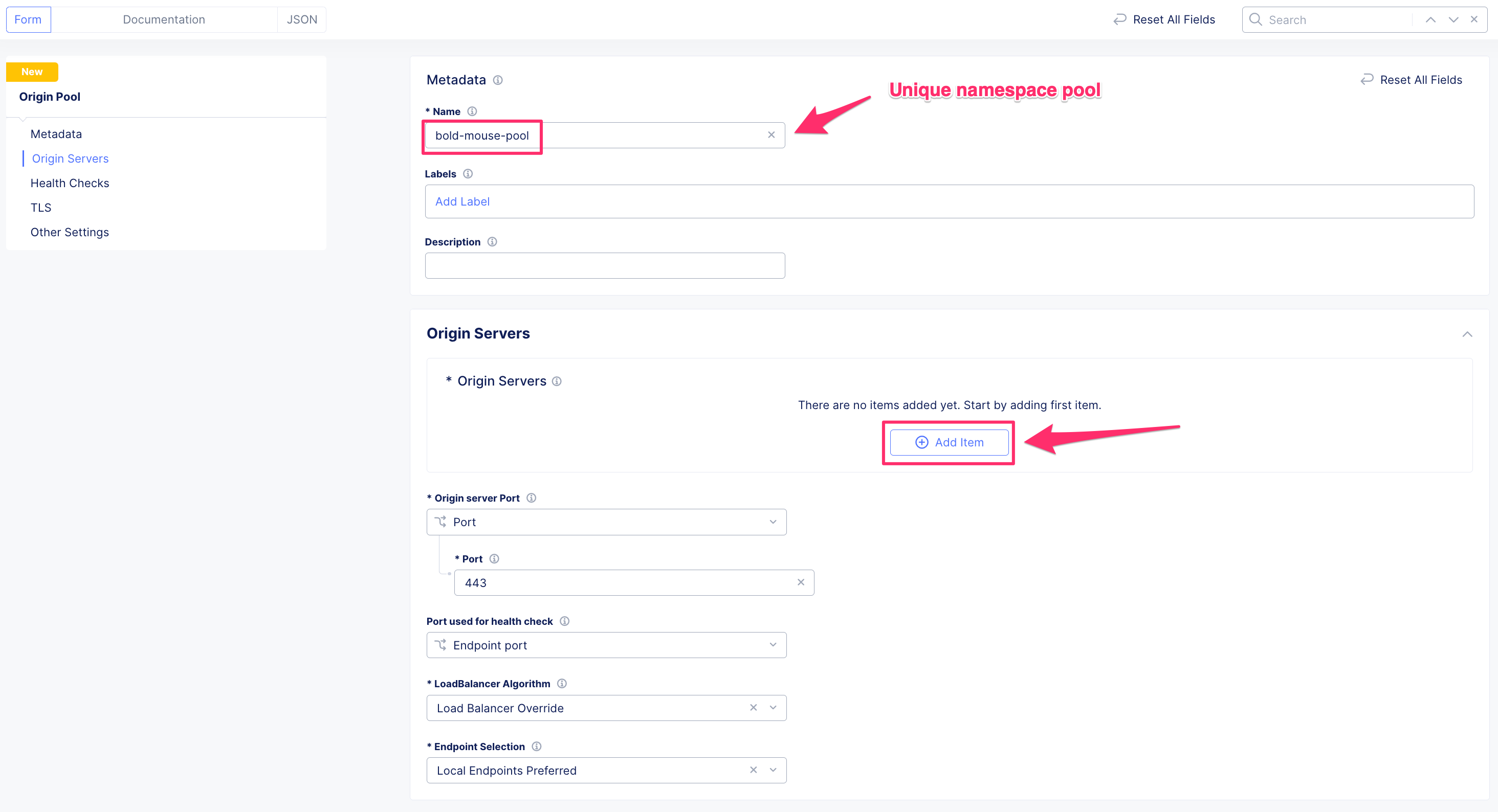
1.5 Create an origin pool of the BIG-IP virtual
From the perspective of F5XC, the BIG-IP virtual would be our Origin Pool existing at our customer edge site.
Give our origin pool a name with our unique namespace appending a resource type for best practice
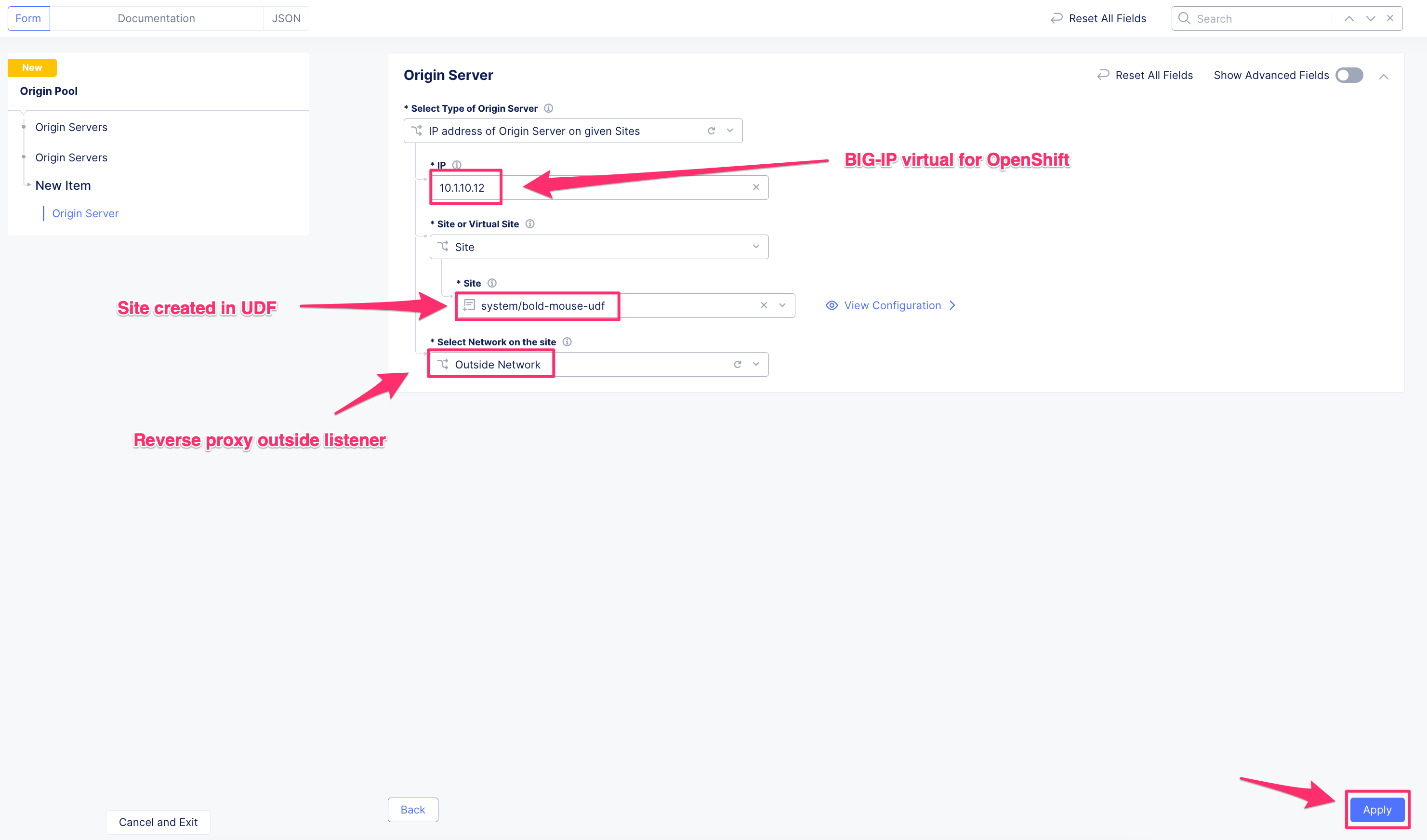
1.6 Specify the origin server
Attributes:
Select Type of Origin Server:
IP address of Origin Server on given SitesIP:
10.1.10.12Site:
The Unique Namespace Site NameSelect Network on the Site:
Outside Network
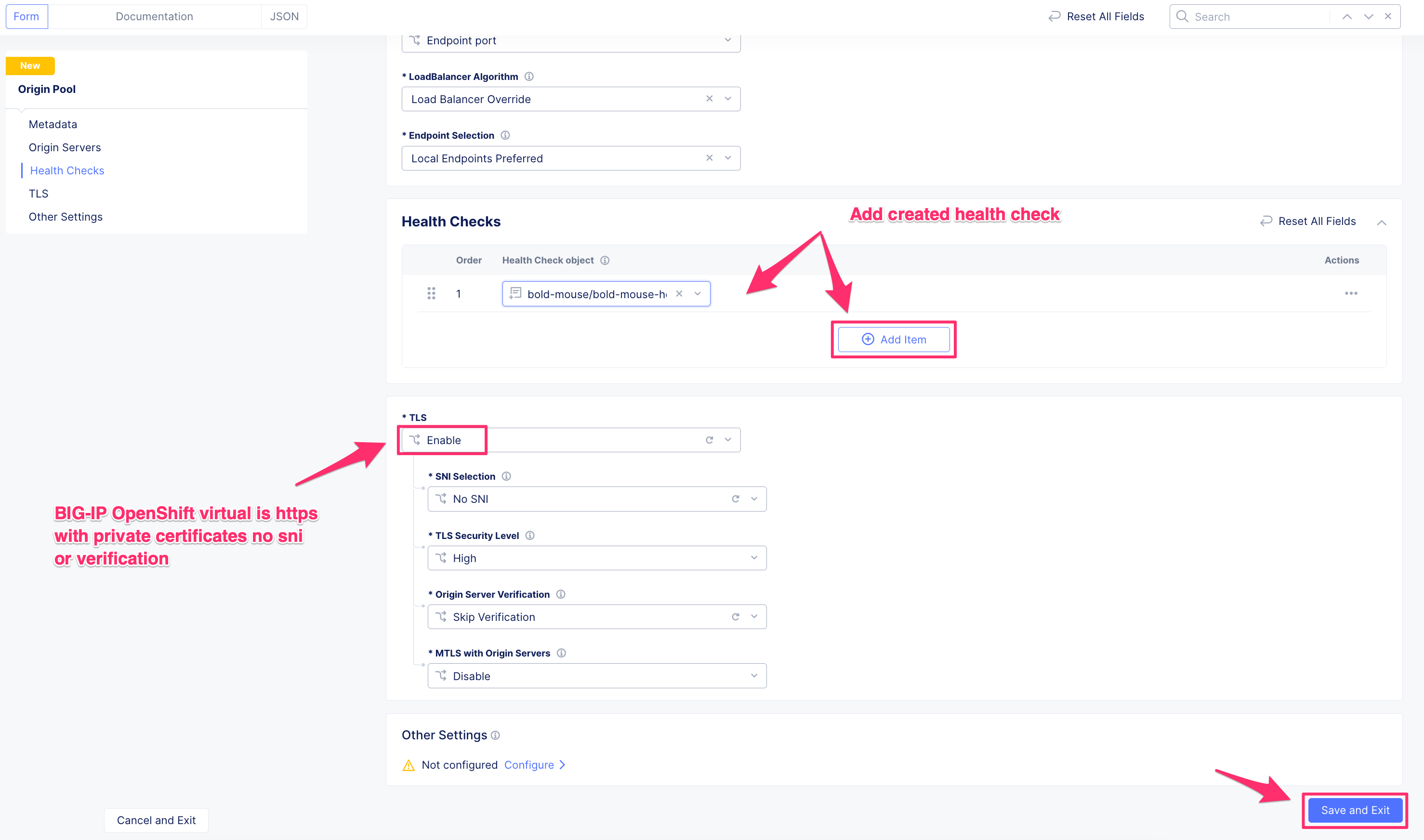
1.7 Add TLS and Health Check for the Origin Pool
The OpenShift router created resources with TLS certificates, since the BIG-IP is our origin server we need to encrypt traffic from the F5XC customer edge to the BIG-IP virtual. Attaching the health check created in this module will verify we should send traffic to the BIG-IP virtual
Attributes:
TLS:
EnableSNI Selection:
No SNITLS Security Level:
HighOrigin Server Verification:
Skip VerificationMTLS with Origin Servers:
Disable
1.8 Navigate to the HTTP load balancer resources
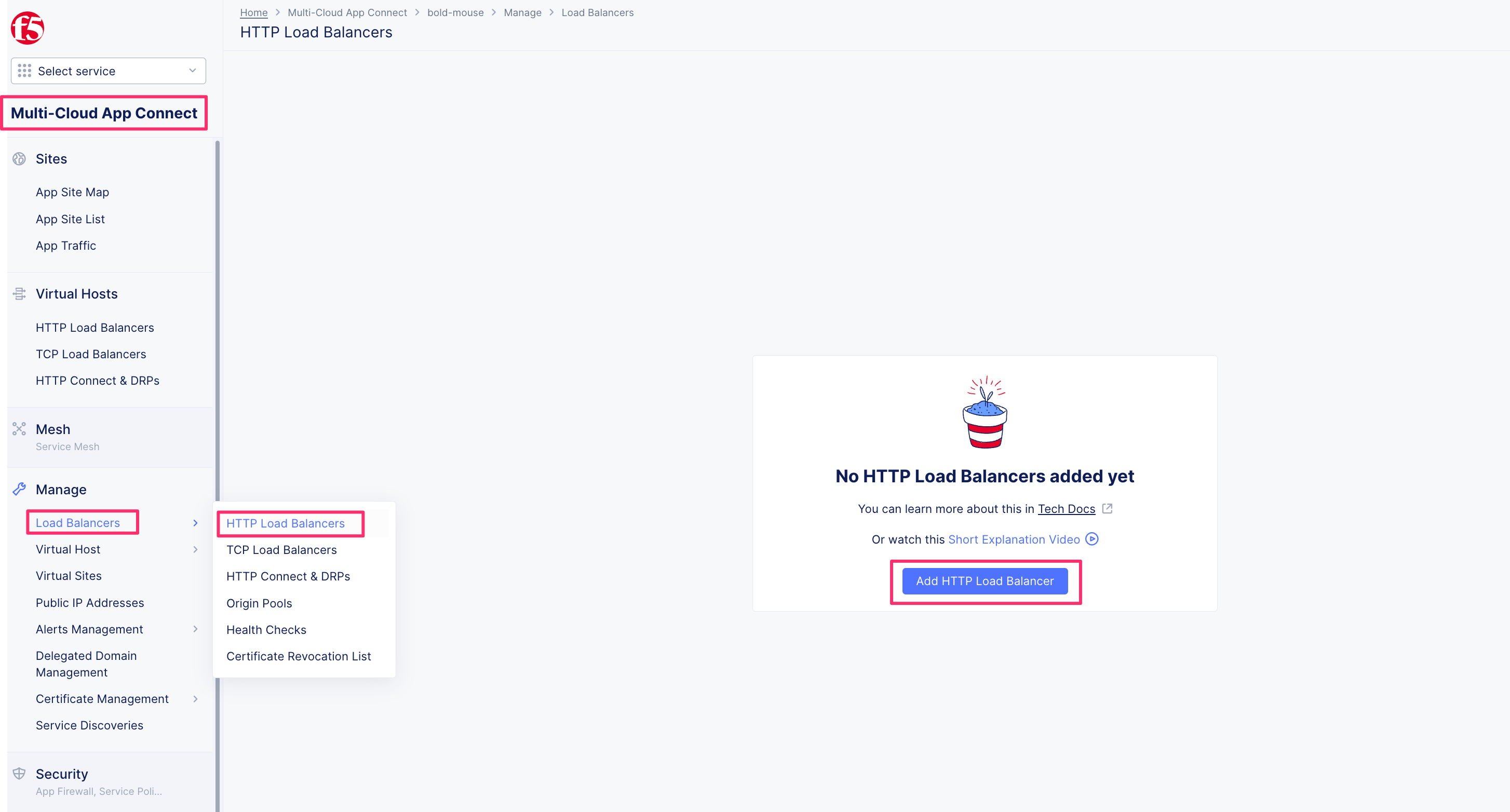
1.9 Create the F5XC HTTP load balancer resource
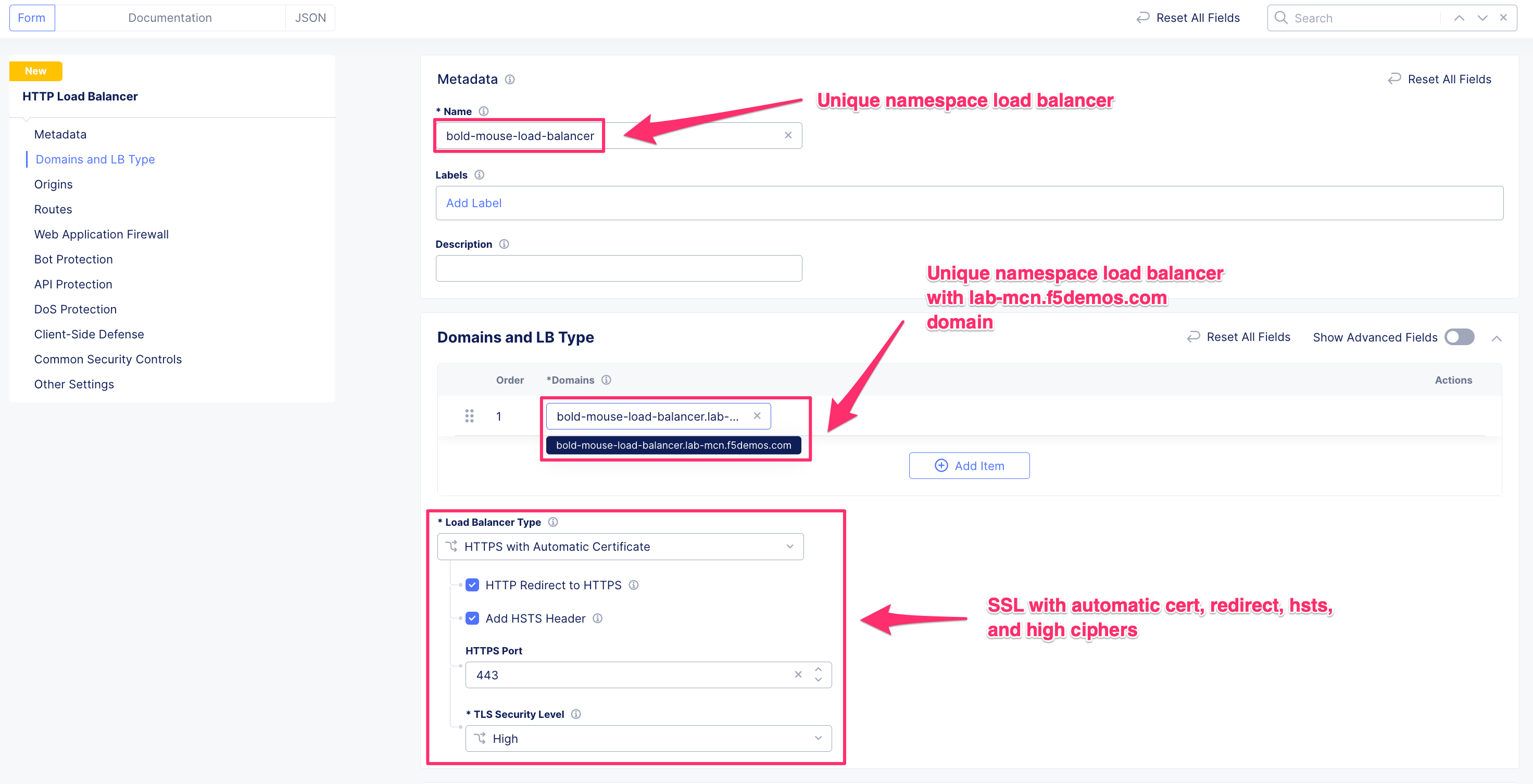
Give the HTTP load balancer a name with our unique namespace appending a resource type for best practice
The HTTP load balancer will listen on single or many Domain names. For the domain name use the unique namespace name with a domain of lab-mcn.f5demos.com
Attributes:
Domains:
<unique namespace name>.lab-mcn.f5demos.comHTTPS with Automatic Certificate: All attributes
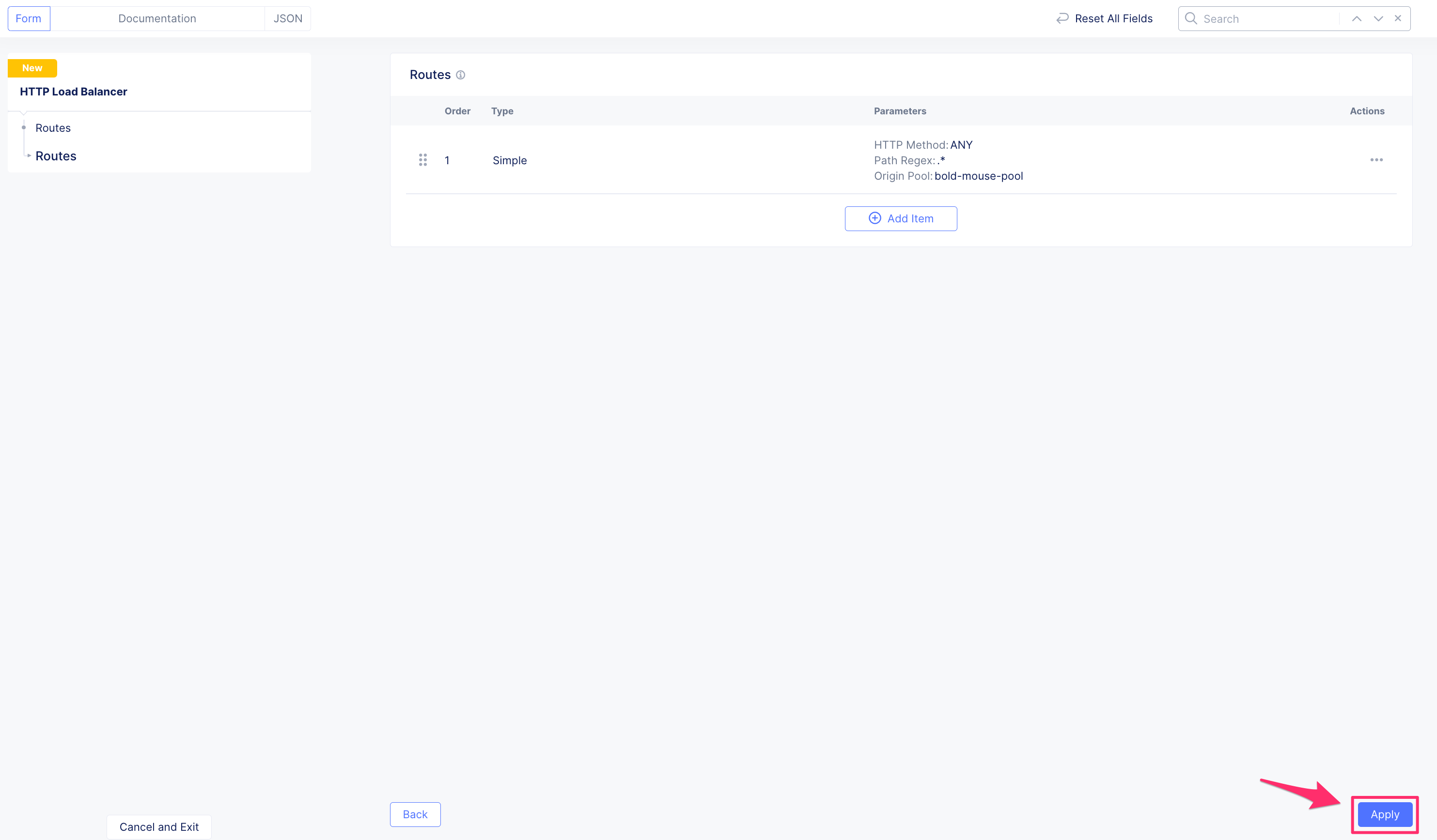
1.10 Configure HTTP load balancer routes
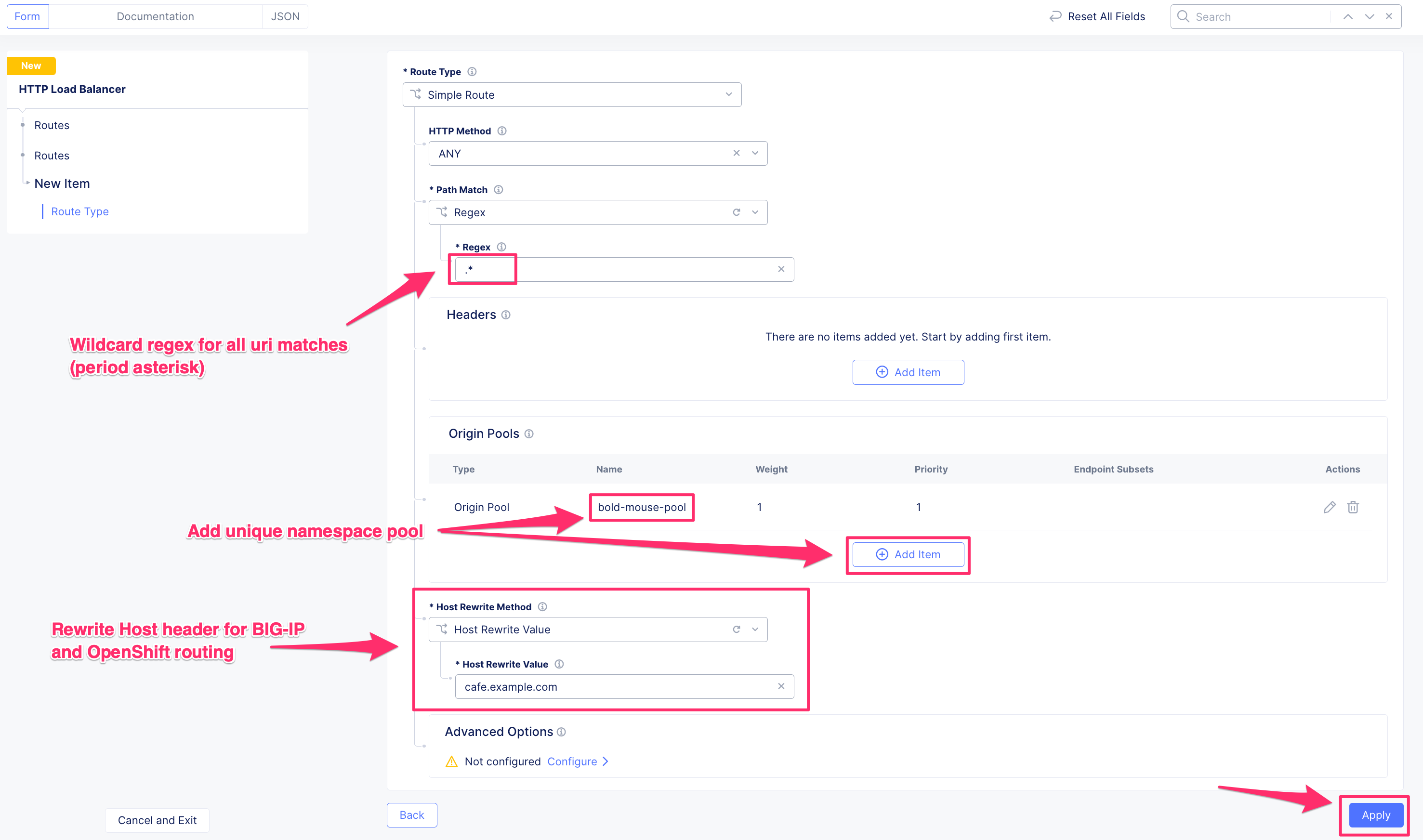
The route object is used to replace the header of our Host domain with the name the OpenShift router is expecting cafe.example.com
Navigate:
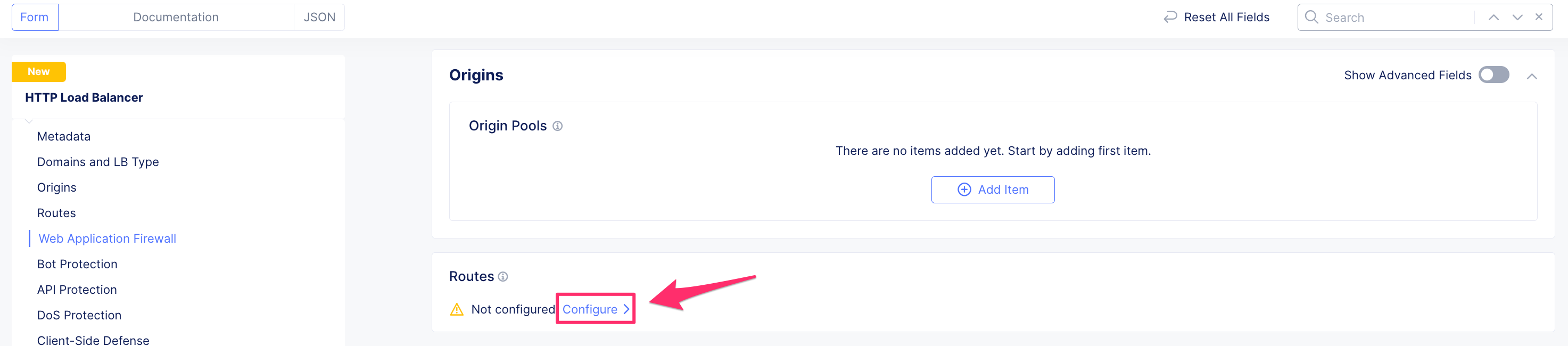
Create:

Attributes:
Route Type:
Simple RouteHTTP Method:
ANYPath Match:
RegexRegex:
.*Origin Pool:
<unique namespace name or our origin pool>Host Rewrite Method:
Host Rewrite ValueHost Rewrite Value:
cafe.example.com
1.11 HTTP load balancer VIP advertisement
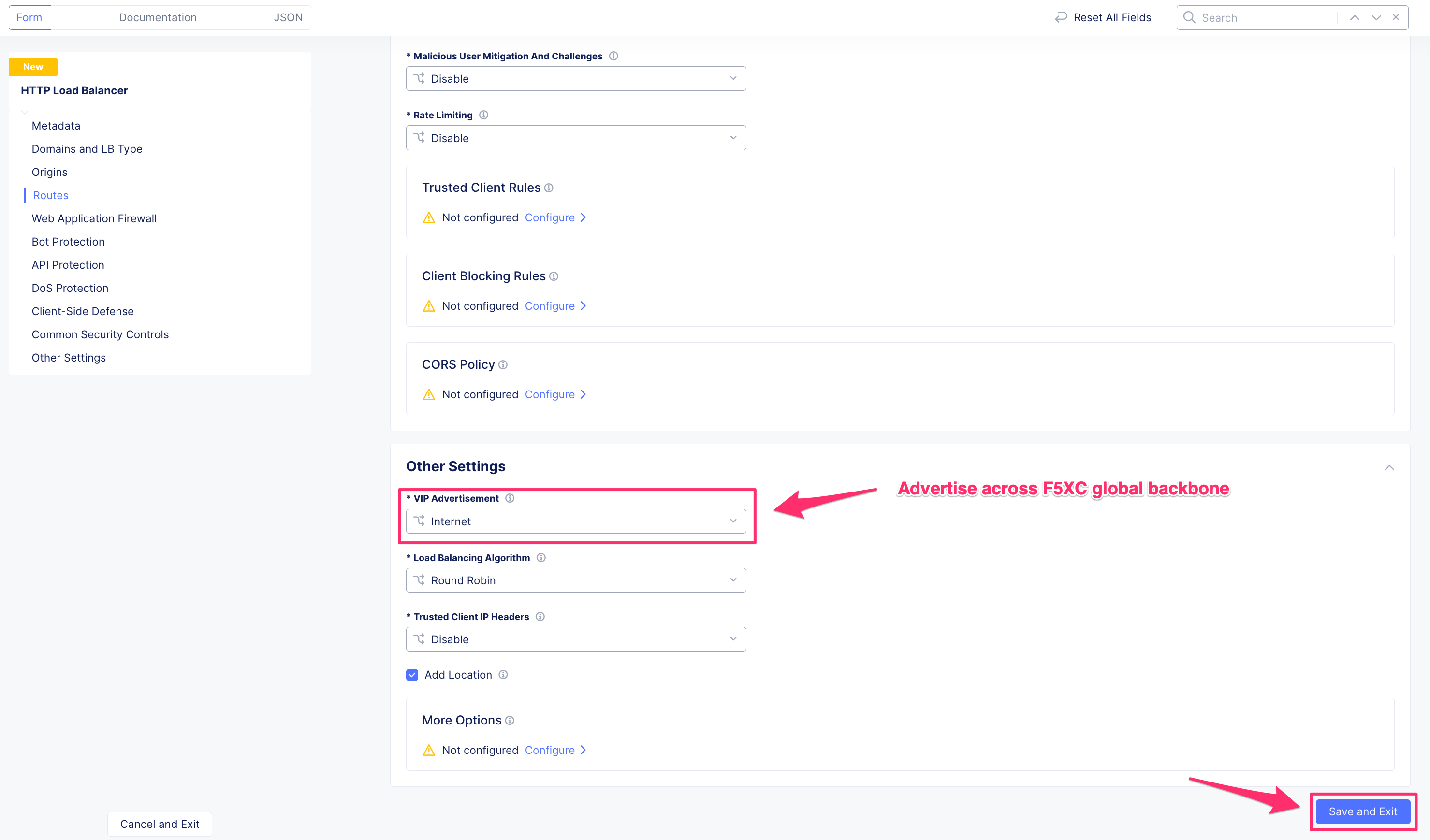
Utilizing the F5XC application delivery network will advertise our service across the globe. The BIG-IP is already supplying a site service level resource, and F5XC will provide the global service resource.
Attributes:
VIP Advertisment:
Internet
1.12 Dynamic Certificate Creation
F5XC HTTP load balancers with Automatic certificates will create a Lets Encrypt certificate on your behalf if the DNS domain is delegated (like lab-mcn.f5demos.com). If the domain is not delegated you can add the challenge records to pass the validation and certificate creation. Manually uploading certificates is also an option
DnsDomainVerification

DomainChallengeStarted

DomainChallengePending

DomainChallengeVerified

CertificateValid

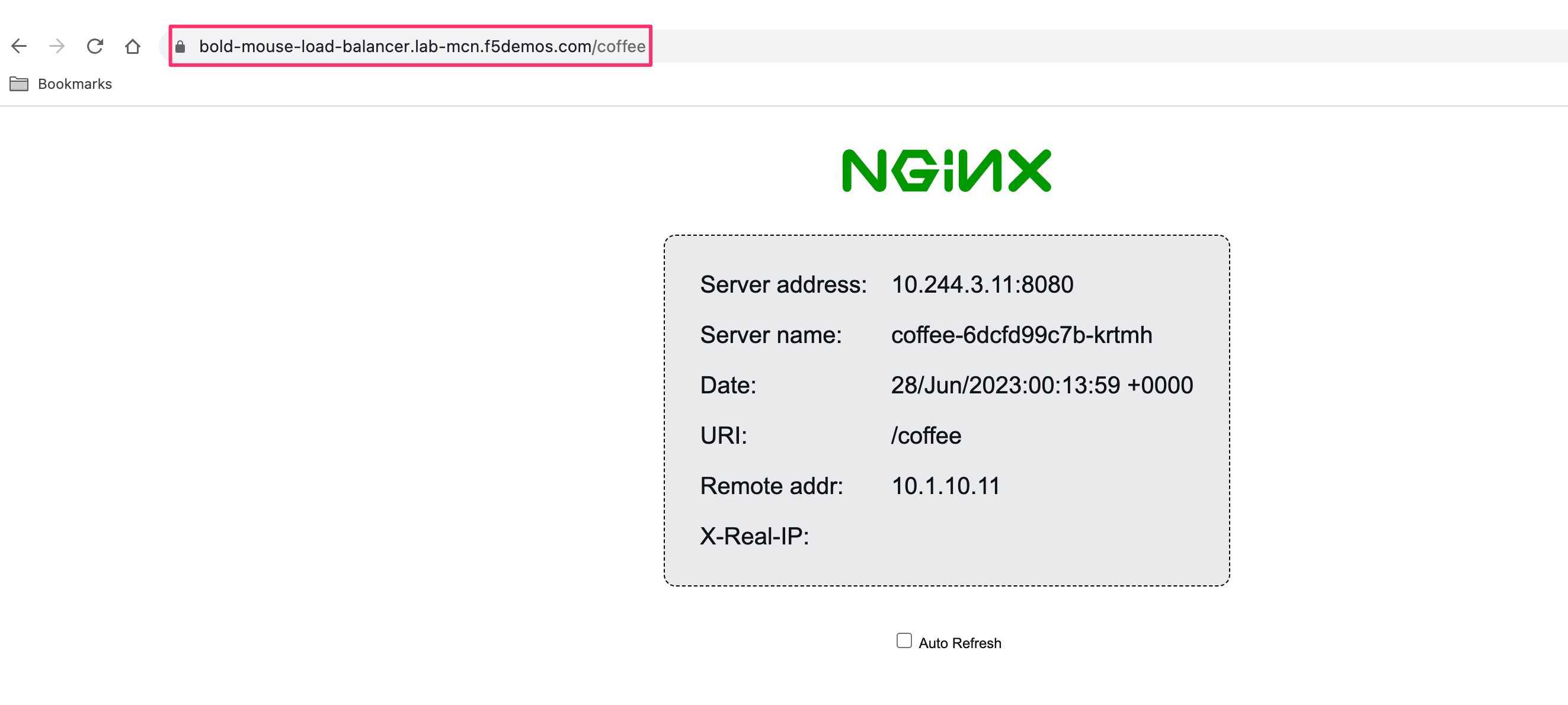
1.13 Access our OpenShift Application through F5XC
With the certificate created, we can now access the domain created for our OpenShift application. Browse the application a few times, and try different URI paths. Try from any browser, or the ocp-provisioner Firefox.
1.14 Navigate to the Load Balancer Statistics
The Overview section of Multi-Cloud App Connect contains overall performance dashboards of namespace load balancers. You can also browse to individual load balancers for granular statistics
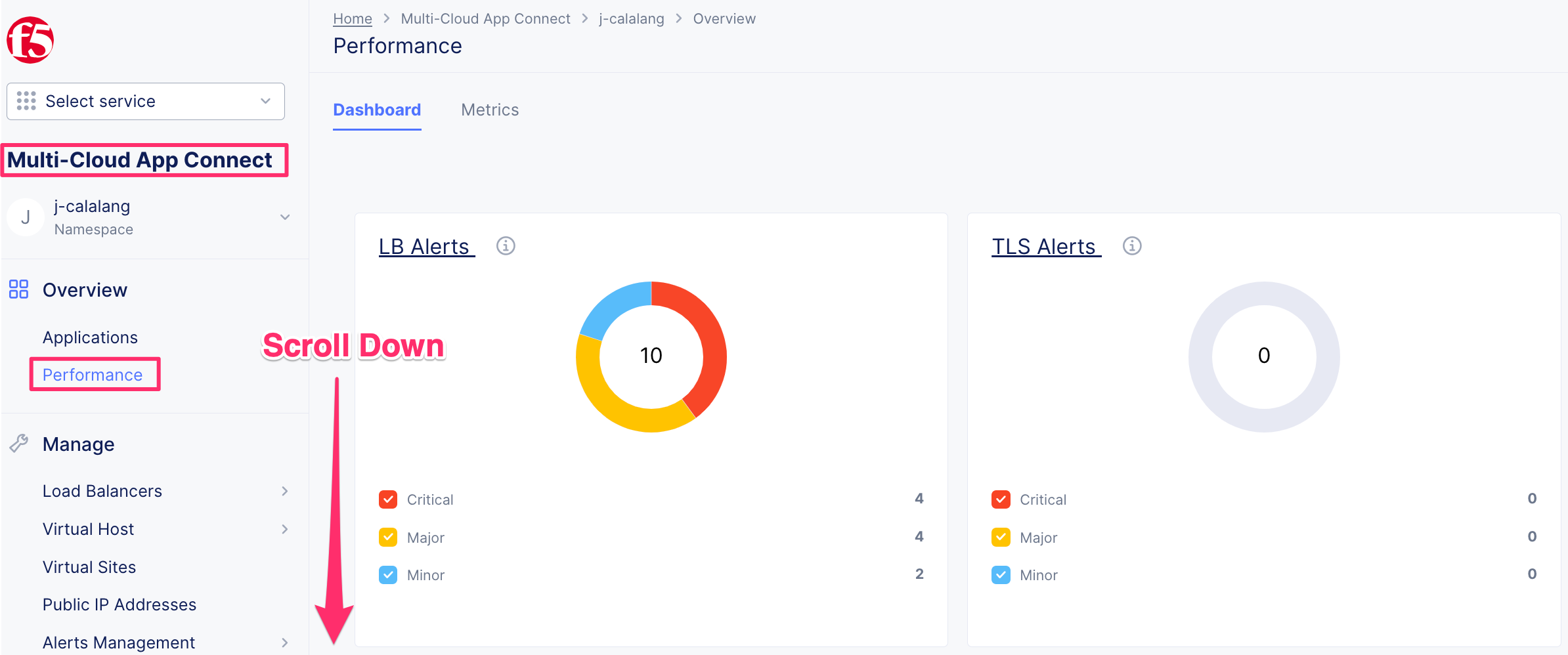
1.15 Deep dive into HTTP load balancer analytics
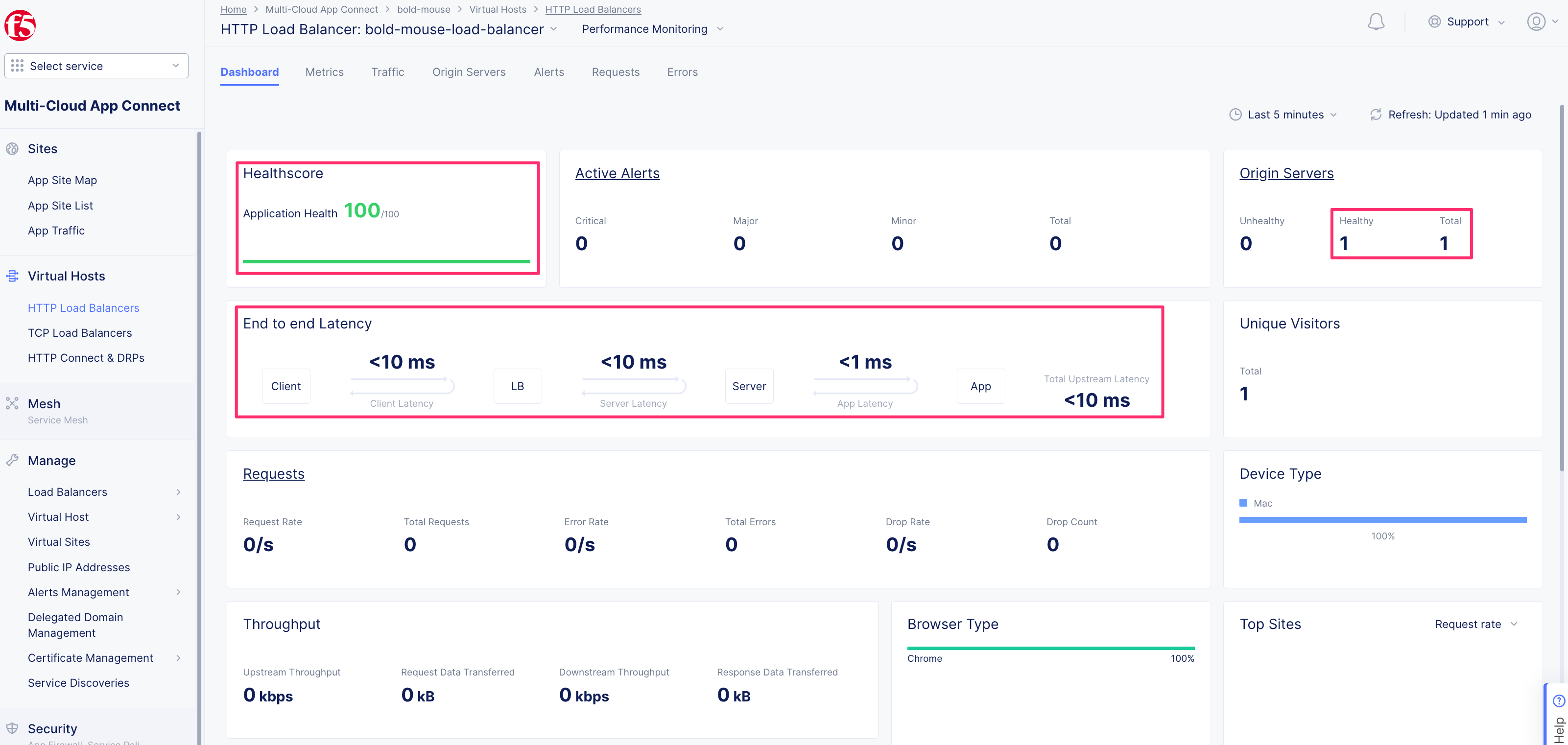
The dashboard page of the HTTP load balancer will be how the site is performing over the time window selected (default 5 minutes). This will be an average of all requests, and highlight locations of clients, and client types.
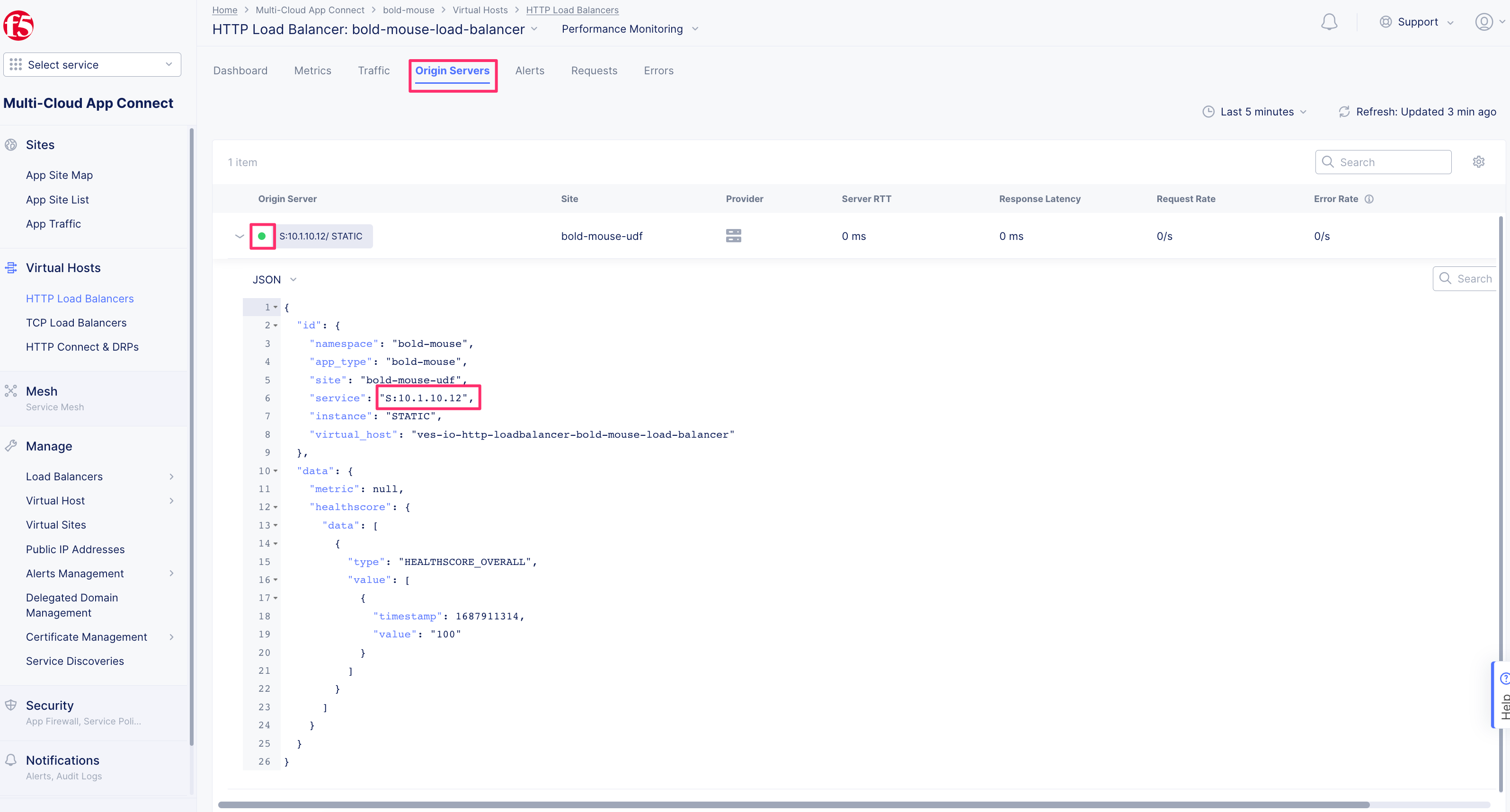
The Origin Servers tab will show us origin health (based on our health check), and time metrics on the performance
The Requests tab will let users dive into each request specifically, with metrics about the client, route trip times, and any security events that might have been triggered