
1 BIG-IP and OpenShift
1.1 Access BIG-IP Web Shell
From UDF navigate to the BIG-IP and use the WEB SHELL access method
1.2 Create the OpenShift Partition on BIG-IP
Partitions on BIG-IP are used as logical seperation of configuration. Since OpenShift will be the environment where resources are created we will create a BIG-IP partition for this configuration to exist.
Copy and Paste:
# Create OpenShift partition:

tmsh create auth partition OpenShift
Example:

Note
Partitions are a requirement, and are a best practise to keep changes isolated
1.3 Create BIG-IP Routes to OpenShift Nodes
OpenShift OVN networking without tunnels needs to have routes in place on the BIG-IP so it can send traffic at the OpenShift services. Our OpenShift cluster is 5 nodes (Masters scheduleable), so we create 5 routes.
An OpenShift node (or kubernetes) will be allocated a range of IP address which are assignable from the scheduler. Each of these ranges were allocated as the nodes were brought into the cluster and do not overlap. We can find the ranges assigned to a node after creatation with oc describe nodes or kubectl describe nodes
Copy and Paste:
# Create Routes for nodes:

tmsh create /net route 10.244.0.0/24 gw 10.1.10.6
tmsh create /net route 10.244.1.0/24 gw 10.1.10.7
tmsh create /net route 10.244.2.0/24 gw 10.1.10.8
tmsh create /net route 10.244.3.0/24 gw 10.1.10.9
tmsh create /net route 10.244.4.0/24 gw 10.1.10.10
Example:

1.4 Access ocp-provisioner Web Shell
From UDF navigate to the ocp-provisioner and use the web shell access method
1.5 Switch linux user to cloud-user
cloud-user is preconfigured with access to OpenShift resources, moving from root to cloud-user to access OpenShift.
Copy and Paste:
# Switch user to cloud-user

su cloud-user
Example:

Warning
This step is required, Root user does not have a kubeconfig file to access OpenShift
1.6 Create an OpenShift namespace
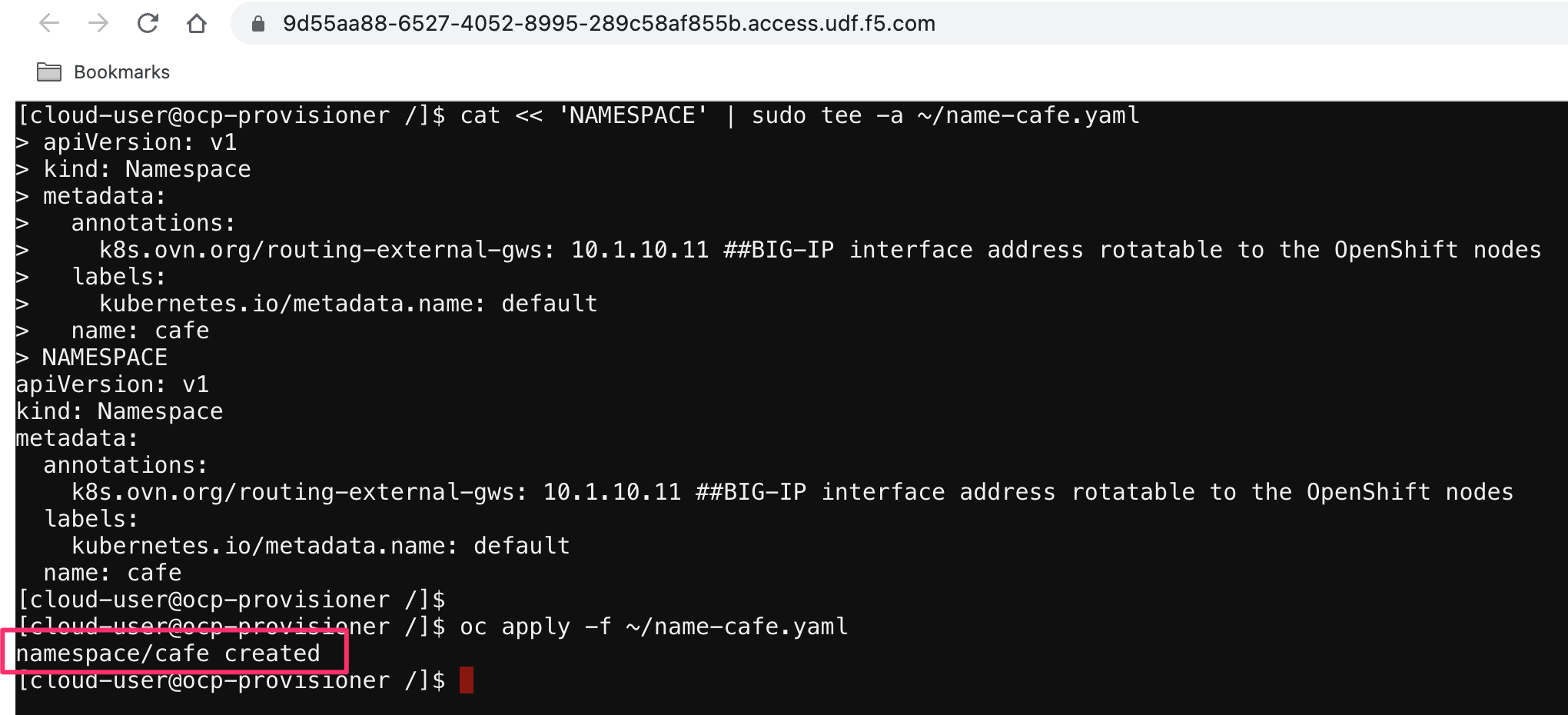
Similar to BIG-IP partitions, OpenShift (and kubernetes) have a logical organization object of a namespace. We will be creating resources in a single namespace, which needs to be created first.
The namespace contains an annotation for gateways, the address that is contained is this annotation is the self-ip of the BIG-IP in our lab. This tells OpenShift that traffic should be returned to this IP address, creating our traffic flow
Copy and Paste:
# Create namespace and apply to Openshift

cat << 'NAMESPACE' | sudo tee -a ~/name-cafe.yaml
apiVersion: v1
kind: Namespace
metadata:
  annotations:
    k8s.ovn.org/routing-external-gws: 10.1.10.11 ##BIG-IP interface address rotatable to the OpenShift nodes
  labels:
    kubernetes.io/metadata.name: default
  name: cafe
NAMESPACE

oc apply -f ~/name-cafe.yaml
Example:
1.7 Create a BIG-IP controller secret
The BIG-IP controller (Container Ingress Services, Next Generation Router) needs credentials for accessing the BIG-IP to build our objects. This creates the OpenShift secret containing the credentials.
Copy and Paste:
# Create secret for BIG-IP Controller

oc create secret generic bigip-login -n kube-system --from-literal=username=admin --from-literal=password=muG7TvaPggS4
Example:

1.8 Create a BIG-IP service account
The BIG-IP controller (Container Ingress Services, Next Generation Router) needs a service account that can monitor the OpenShift resources.
Copy and Paste:
# Create service account for BIG-IP Controller

oc create serviceaccount bigip-ctlr -n kube-system
Example:

1.9 Create OpenShift cluster role and cluster role binding
Weve created the service account, now we need to bind some authorizations and bind the two (role and authoriaztions) together.
Copy and Paste:
# Create cluster role and cluster role binding

oc apply -f https://raw.githubusercontent.com/f5devcentral/f5-cis-docs/main/user_guides/ovn-kubernetes-standalone/next-gen-route/cis/bigip-ctlr-clusterrole.yaml
Example:

1.10 BIG-IP controller custom resource definitions
Custom resources are extensions of the Kubernetes API. BIG-IP CIS can utilize custom resource definitions to bring more BIG-IP features into the Router or Ingress configuration through the use of Virtual Servers.
To utilize these new resources we are bringing their definitions into our OpenShift cluster.
Note
We are not using any of these features in this lab, however are add the crds to remove unwanted missing resource logs
Copy and Paste:
# Create custom resource definitions extending OpenShift

oc apply -f https://raw.githubusercontent.com/F5Networks/k8s-bigip-ctlr/master/docs/config_examples/customResourceDefinitions/customresourcedefinitions.yml
Example:

1.11 BIG-IP controller global configmap
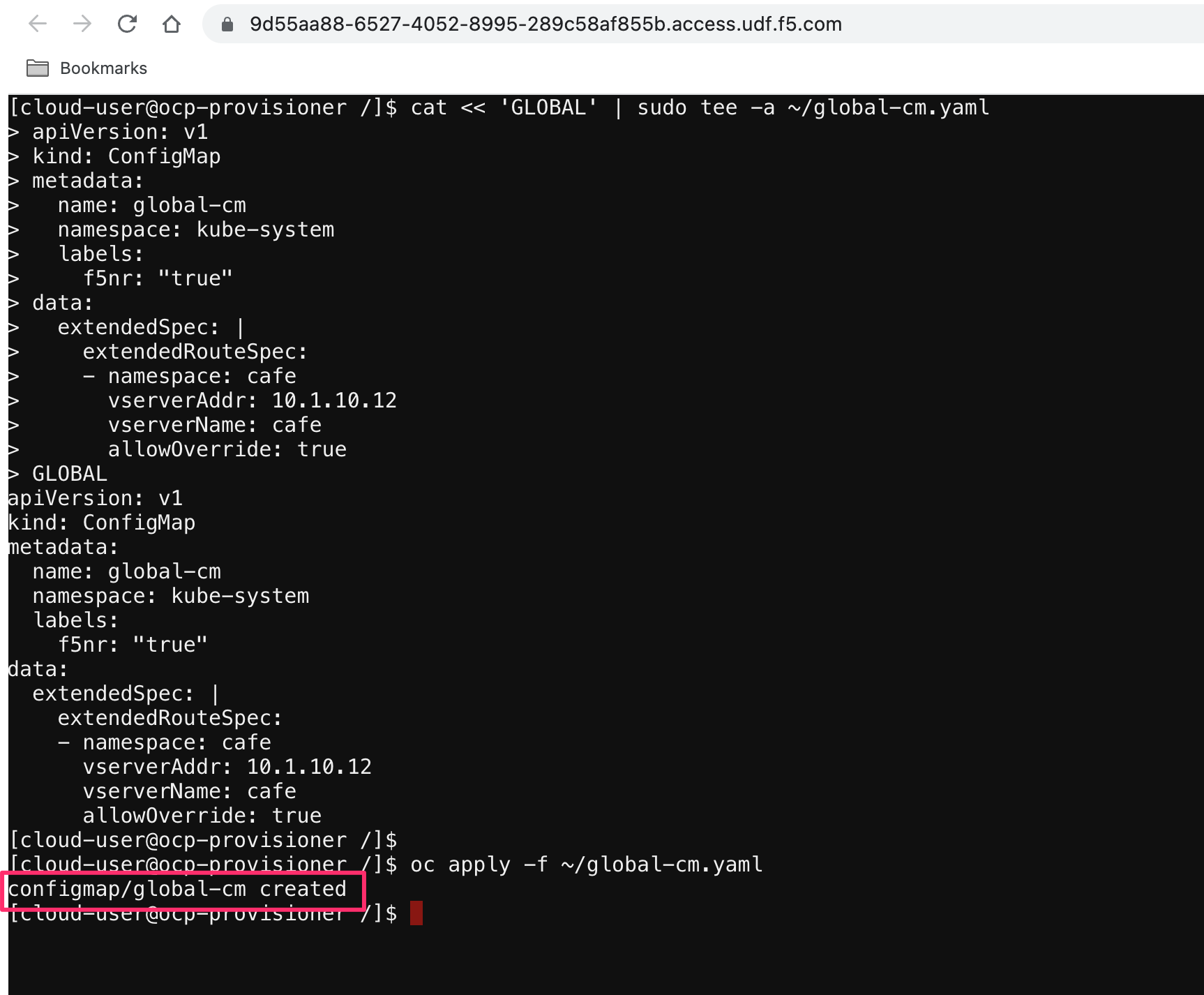
The global configmap is used to create the BIG-IP virtual (vserverAddr). Since OpenShift routes are a shared VIP with routing based off layer 7 attributes BIG-IP needs to have a VIP to attach these routes with. With a recent release, you now have the ability to have mulitple BIG-IP VIPs definitions for individual namespaces, this allows for granular traffic based on a per-namespace concept.
Note
Global configmaps need to be deployed into the namespace its going to be applied to.
Copy and Paste:
# Create Global configmap for the cafe namespace

cat << 'GLOBAL' | sudo tee -a ~/global-cm.yaml
apiVersion: v1
kind: ConfigMap
metadata:
  name: global-cm
  namespace: kube-system
  labels:
    f5nr: "true"
data:
  extendedSpec: |
    extendedRouteSpec:
    - namespace: cafe
      vserverAddr: 10.1.10.12
      vserverName: cafe
      allowOverride: true
GLOBAL

oc apply -f ~/global-cm.yaml
Example:
1.12 BIG-IP controller deployment
The BIG-IP controller (Container Ingress Services, Next Generation Router) is the tool which take OpenShift events, converts them to BIG-IP configuration, and maintains the state. CIS constantly monitors the OpenShift environment for resource changes, like pods scaling, or service changes and reflects the changes in the BIG-IP.
Information about: Configuration Parameters
Note
For partitions that are managed via CIS, no manual configuration should be done, as it will be replaced with the state known by CIS
Note
Best practise is a CIS controller per-BIG-IP
Copy and Paste:
# Create f5-bigip-ctlr-deployment.yaml:

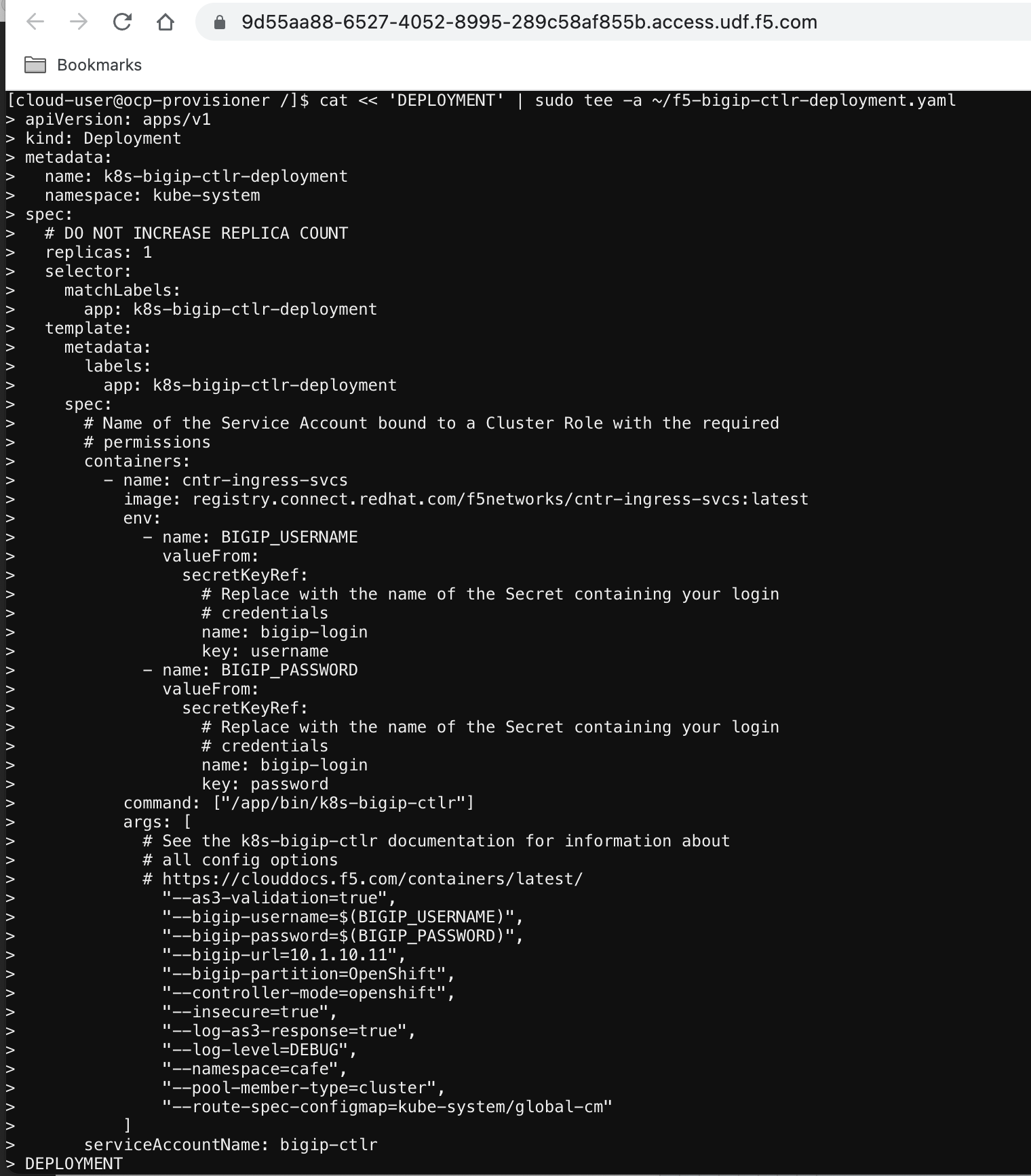
cat << 'DEPLOYMENT' | sudo tee -a ~/f5-bigip-ctlr-deployment.yaml
apiVersion: apps/v1
kind: Deployment
metadata:
  name: k8s-bigip-ctlr-deployment
  namespace: kube-system
spec:
  # DO NOT INCREASE REPLICA COUNT
  replicas: 1
  selector:
    matchLabels:
      app: k8s-bigip-ctlr-deployment
  template:
    metadata:
      labels:
        app: k8s-bigip-ctlr-deployment
    spec:
      # Name of the Service Account bound to a Cluster Role with the required
      # permissions
      containers:
        - name: cntr-ingress-svcs
          image: registry.connect.redhat.com/f5networks/cntr-ingress-svcs:latest
          env:
            - name: BIGIP_USERNAME
              valueFrom:
                secretKeyRef:
                  # Replace with the name of the Secret containing your login
                  # credentials
                  name: bigip-login
                  key: username
            - name: BIGIP_PASSWORD
              valueFrom:
                secretKeyRef:
                  # Replace with the name of the Secret containing your login
                  # credentials
                  name: bigip-login
                  key: password
          command: ["/app/bin/k8s-bigip-ctlr"]
          args: [
            # See the k8s-bigip-ctlr documentation for information about
            # all config options
            # https://clouddocs.f5.com/containers/latest/
              "--as3-validation=true",
              "--bigip-username=$(BIGIP_USERNAME)",
              "--bigip-password=$(BIGIP_PASSWORD)",
              "--bigip-url=10.1.10.11",
              "--bigip-partition=OpenShift",
              "--controller-mode=openshift",
              "--insecure=true",
              "--log-as3-response=true",
              "--log-level=DEBUG",
              "--namespace=cafe",
              "--pool-member-type=cluster",
              "--route-spec-configmap=kube-system/global-cm"
          ]
      serviceAccountName: bigip-ctlr
DEPLOYMENT

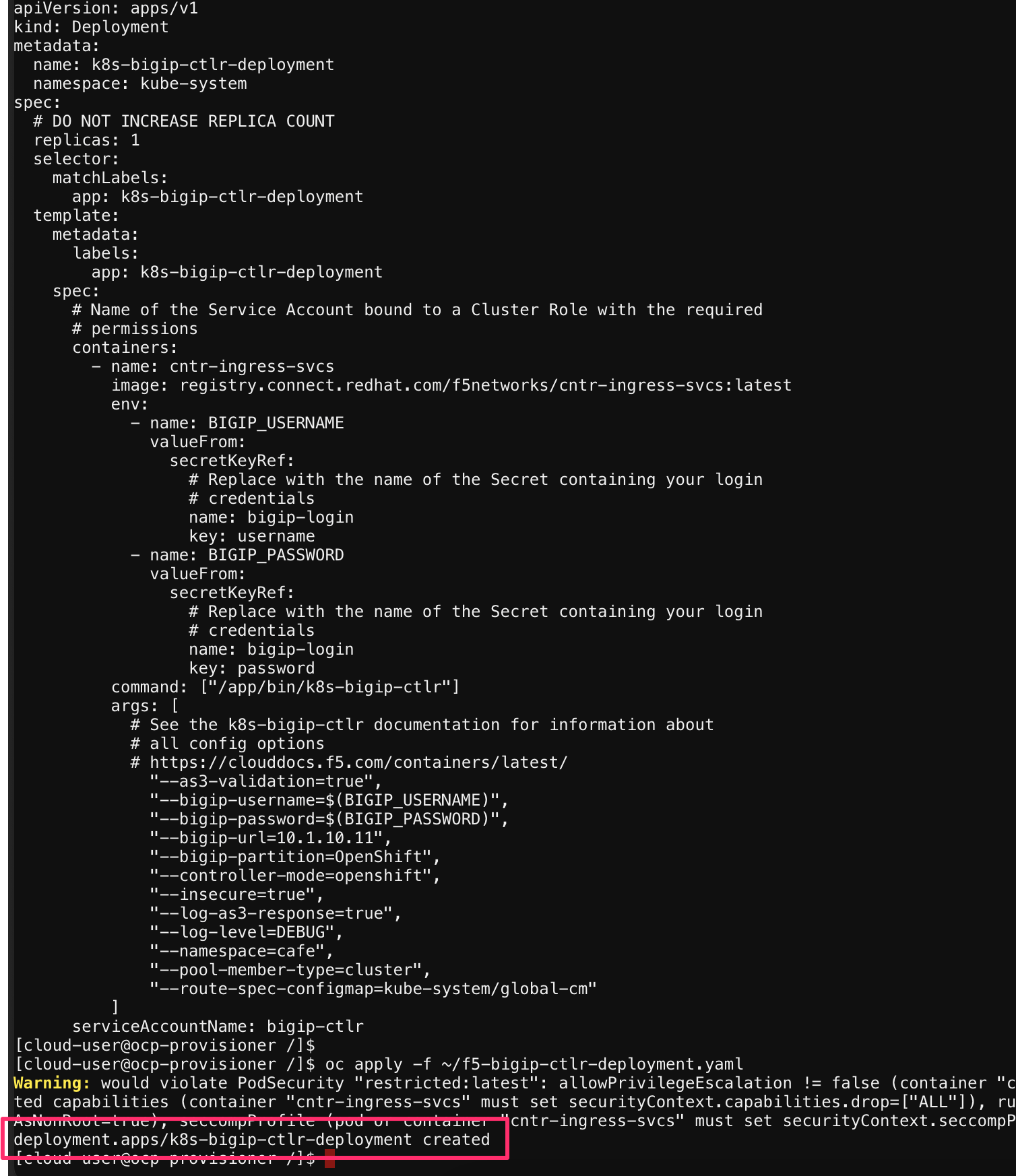
oc apply -f ~/f5-bigip-ctlr-deployment.yaml
Example:
1.13 BIG-IP controller verification
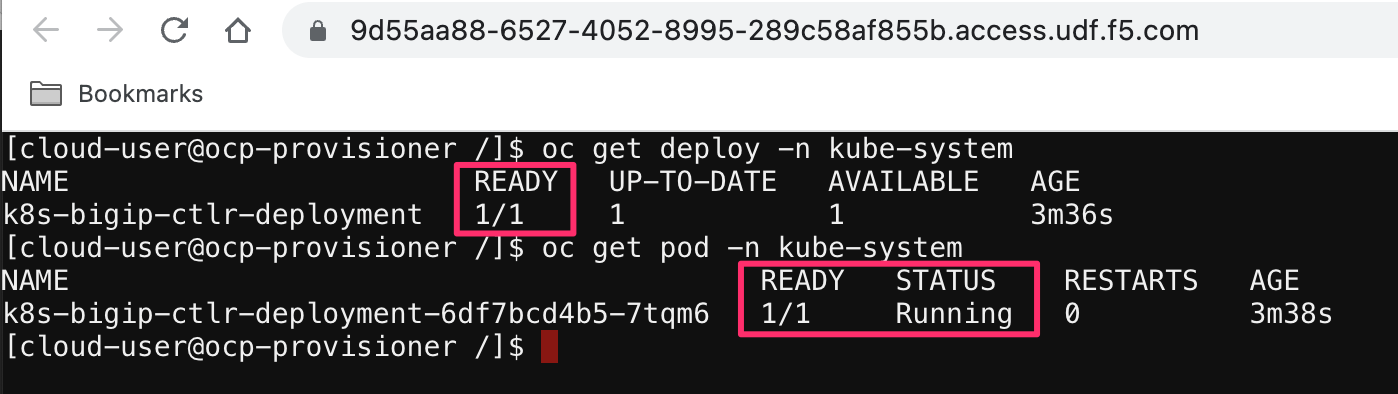
The BIG-IP controller deployment is a service running inside the OpenShift environment, after the deployment is complete we can verify that the service is running.
Note
Just like other services logs of the container can be view with the oc log <pod> -n kube-system
Copy and Paste:
# Verify the CIS service is running

oc get deploy -n kube-system
oc get pod -n kube-system
Example:
1.14 Cafe Deployment
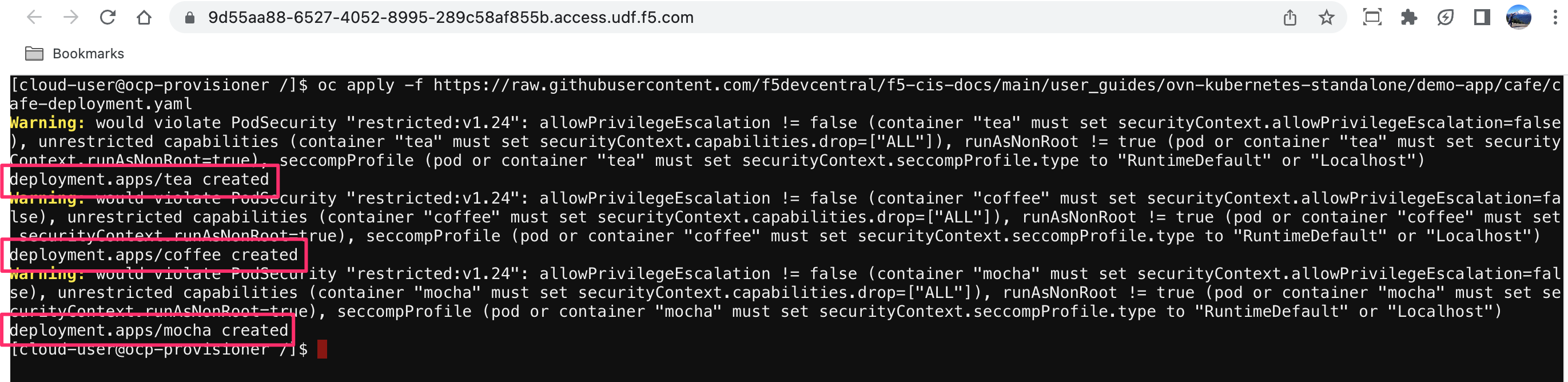
Our Openshift needs an application to expose. The cafe application is a very simple nginx deployment that reads some host information and http information. It will allow us to see which pod we are accessing and the uri.
There will be three applications created, coffee, tea, and mocha. We will route to each of these different services with an OpenShift route the BIG-IP is hosting
Copy and Paste:
# Create the Cafe application

oc apply -f https://raw.githubusercontent.com/f5devcentral/f5-cis-docs/main/user_guides/ovn-kubernetes-standalone/demo-app/cafe/cafe-deployment.yaml
Example:
1.15 Cafe Service
Services differ from deployments as a service exposes the deployment resources to the cluster, or outside the cluster. We need to create a service so that resources inside the cluster can reach coffee, tea, and mocha. We will create our services with a ClusterIP service, this means the IP address assigned to the service, and thus the deployment will be private to the cluster.
Note
OVN networking on OpenShift allows us to target the ClusterIP address, without OVN we would need a tunnel or a NodePort style service
Copy and Paste:
# Create cafe service

oc apply -f https://raw.githubusercontent.com/f5devcentral/f5-cis-docs/main/user_guides/ovn-kubernetes-standalone/demo-app/cafe/cafe-service.yaml
Example:

1.16 OpenShift Routes
In the OpenShift cluster CIS ready and listening for OpenShift resources, we also created some applications and services. Up until this point there hasnt been a connection between the two parts. OpenShift routes are what bind these two entities together. CIS will look for routes, convert them to BIG-IP configuration and post it to the BIG-IP.
The routes applied only contains a few of the available options, host, port, tls, and service name.
Copy and Paste:
# Create routes for the cafe application

oc apply -f https://raw.githubusercontent.com/f5devcentral/f5-cis-docs/main/user_guides/ovn-kubernetes-standalone/next-gen-route/route/cafe/secure/route-coffee-edge.yaml
oc apply -f https://raw.githubusercontent.com/f5devcentral/f5-cis-docs/main/user_guides/ovn-kubernetes-standalone/next-gen-route/route/cafe/secure/route-mocha-edge.yaml
oc apply -f https://raw.githubusercontent.com/f5devcentral/f5-cis-docs/main/user_guides/ovn-kubernetes-standalone/next-gen-route/route/cafe/secure/route-tea-edge.yaml
Example:
